Expenses and your bank
Sort bank charges to a job, overhead or personal
Answer Nailed's questions about card charges, choose how often it asks, fix sorting mistakes, and download what you paid subs for 1099 time.
When a card charge shows up and no receipt matches it, Nailed asks you where it goes: a job, overhead or personal. A quick answer is all it needs.
You need a connected bank. Only the owner is asked.
Answer by chat
Each question comes as a card. Reply with a number (on Telegram, tap a button), or type the answer.
Today
Reply with a number:
- Cambridge
- Oak Ave
- Overhead
- Personal
Things you can say
- Elm
- overhead
- personal
- that one was Cambridge
Money coming in gets asked too: "$4,200 came in from S. Klein. Klein job?" You can say yes, name another job, or say it isn't job money.
"Who's Mike?"
When a payee is new, Nailed asks who it is. Choose Sub, Crew, Supplier or Personal. For a sub it then asks what they do, so pick a trade. Nailed remembers the answer.
Choose how often it asks
Open Bank questions
Go to DashboardSettingsBank questions.
Pick Ask me
Choose Once a day, in the evening check (the default) or About each charge as it comes in.
Set the smallest charge
Under Only charges of at least ($), enter an amount. The default is $10. Smaller charges wait for the Friday line. Enter 0 to be asked about everything.
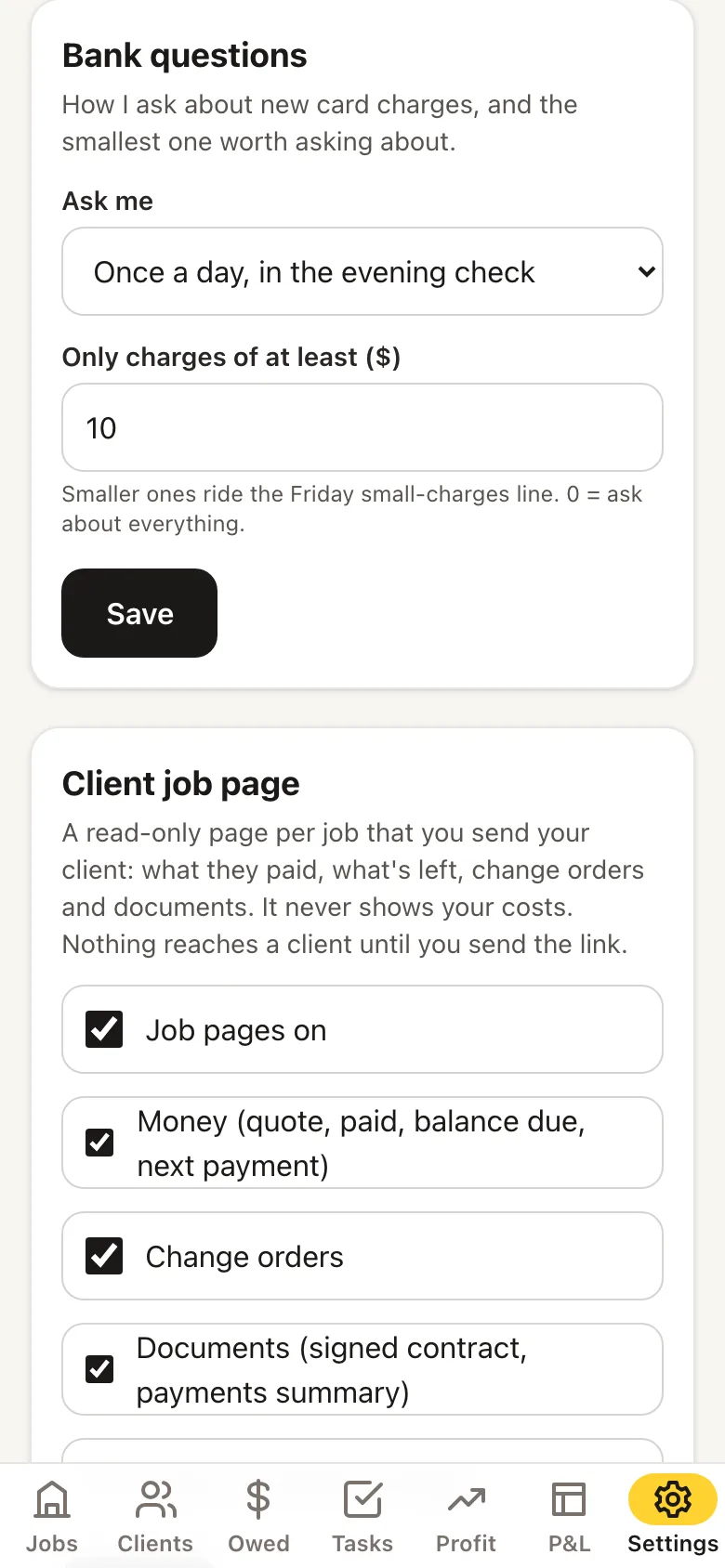
You can also say it in chat: ask me about each charge or only over $25.
Sort on the dashboard
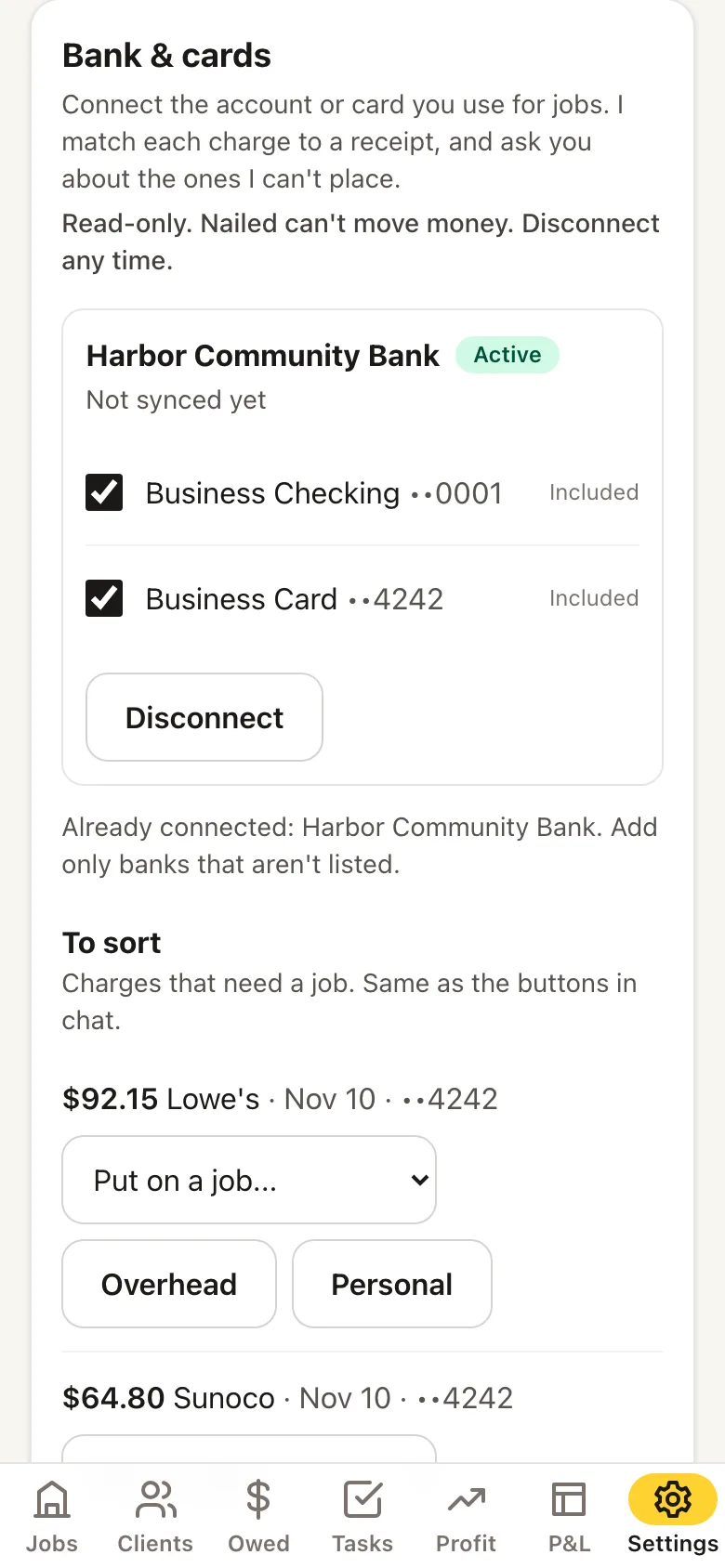
DashboardSettingsBank & cards has a To sort list. It does what the chat buttons do: pick a job under Put on a job..., or tap Overhead or Personal.
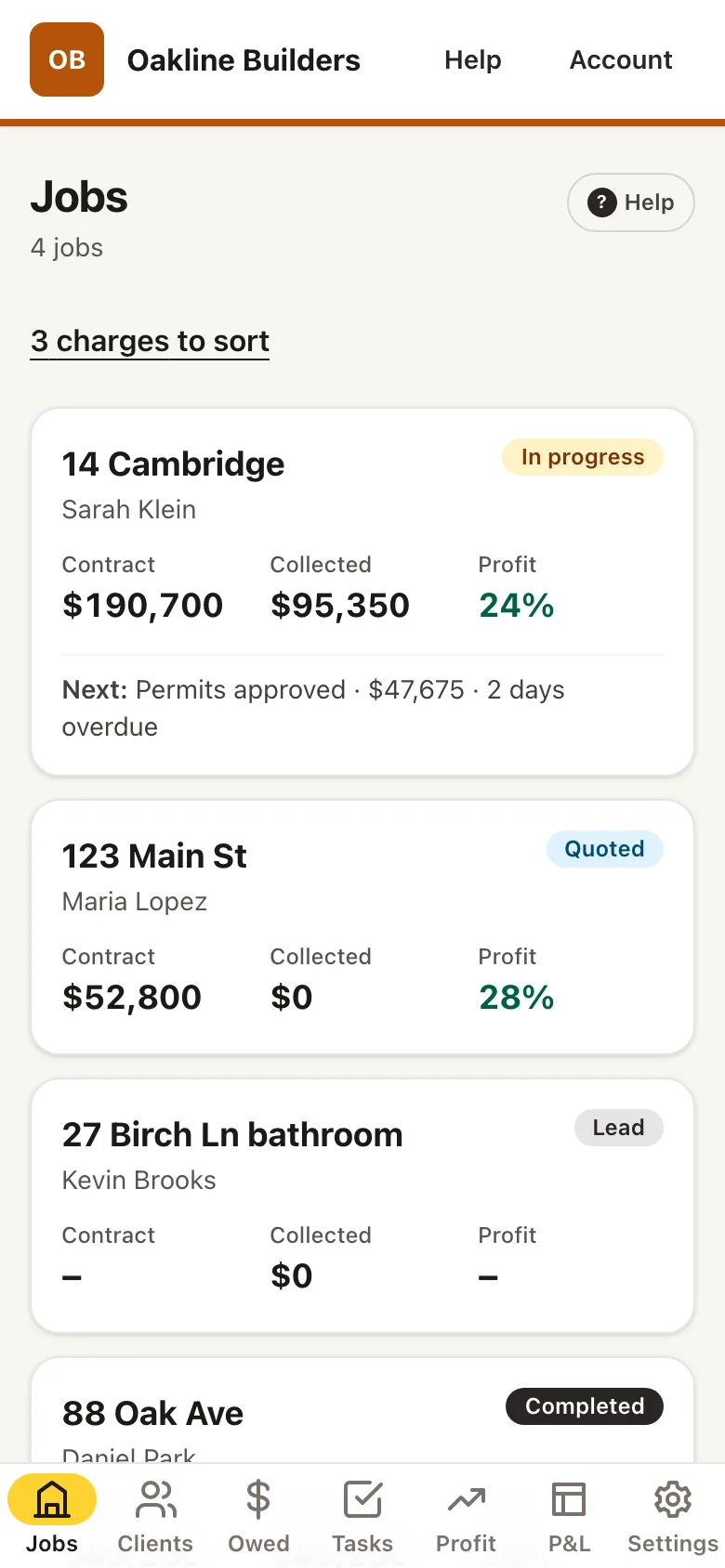
On the Jobs tab, a link such as 3 charges to sort takes you to the same list.
Fix a mistake
Under To sort, tap See and change sorted charges. That opens Card charges.
Filter the list
Choose All, On jobs, Overhead or Personal, and pick the month.
Move the charge
Open Move to... on the charge, pick a job, Overhead or Personal (not a business cost), and tap Save.
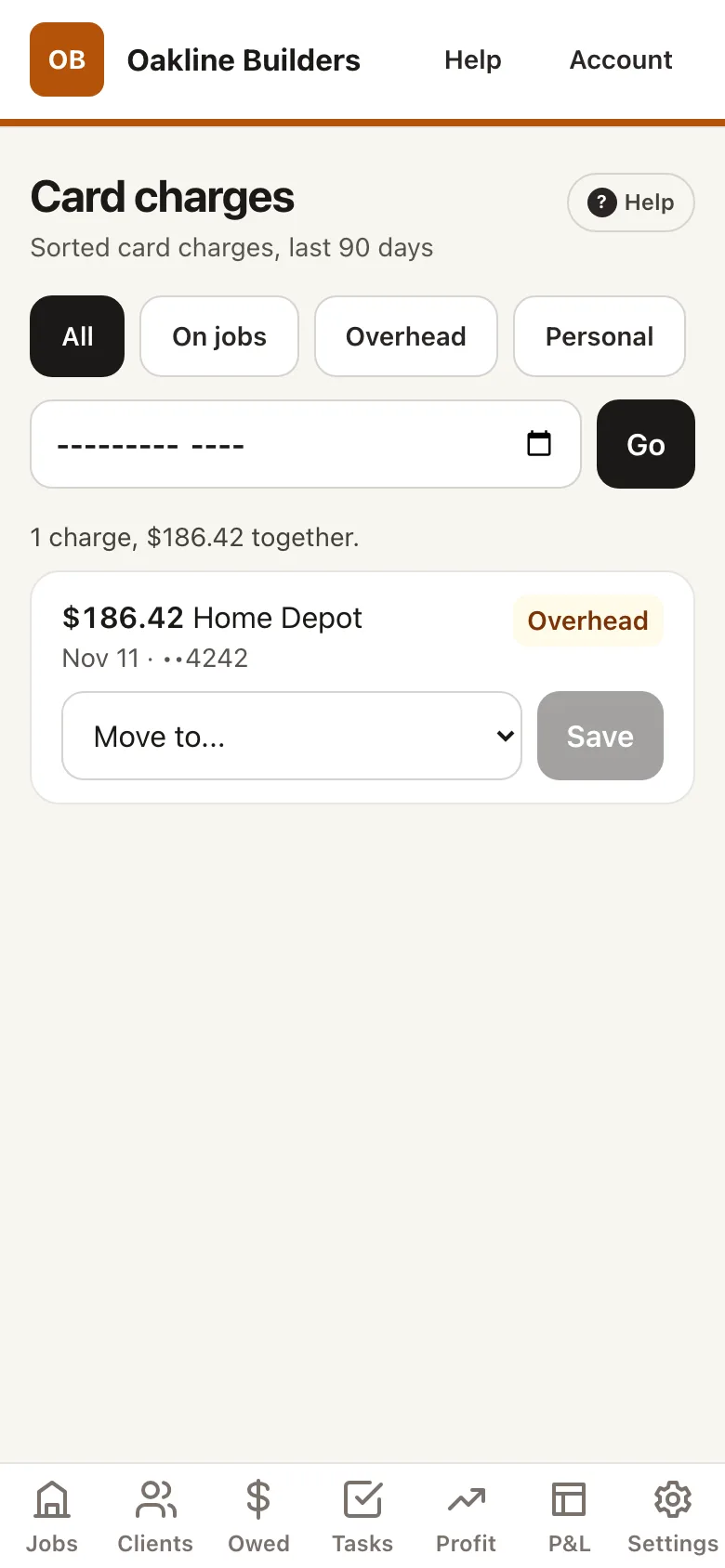
Overhead charges count in your monthly P&L. Charges on a job count in that job's profit.
Track what you paid subs
In DashboardSettingsBank & cards, People you pay lists who you paid. A box called Paid to subs in (year) shows the likely 1099-NEC list. Pick the year, and tap Download CSV.
It counts subcontractor payments by cash, check, Zelle or bank transfer. Card payments aren't in it. It is a helper, not tax advice, so check it with your accountant.
In chat, ask how much did I pay subs this year.
Common questions
How often does Nailed ask about charges?
Once a day in the evening check by default. You can switch to a message about each charge as it comes in, in Settings under Bank questions.
Can I skip the small charges?
Yes. Set Only charges of at least ($) in Settings. The default is $10. Smaller ones wait for the Friday line. Set it to 0 to be asked about everything.
I sorted a charge to the wrong job. How do I fix it?
Open Card charges, find the charge, pick the right place in Move to and tap Save. In Settings, the link is See and change sorted charges.
Where do overhead charges show up?
In your monthly P&L, as an Overhead row. They are not part of any one job's profit.
Is the 1099 number tax advice?
No. It is a helper list of likely 1099-NEC payments. Check it with your accountant.
Did this answer your question?