Getting paid
Set how clients pay you (Zelle, checks, cash)
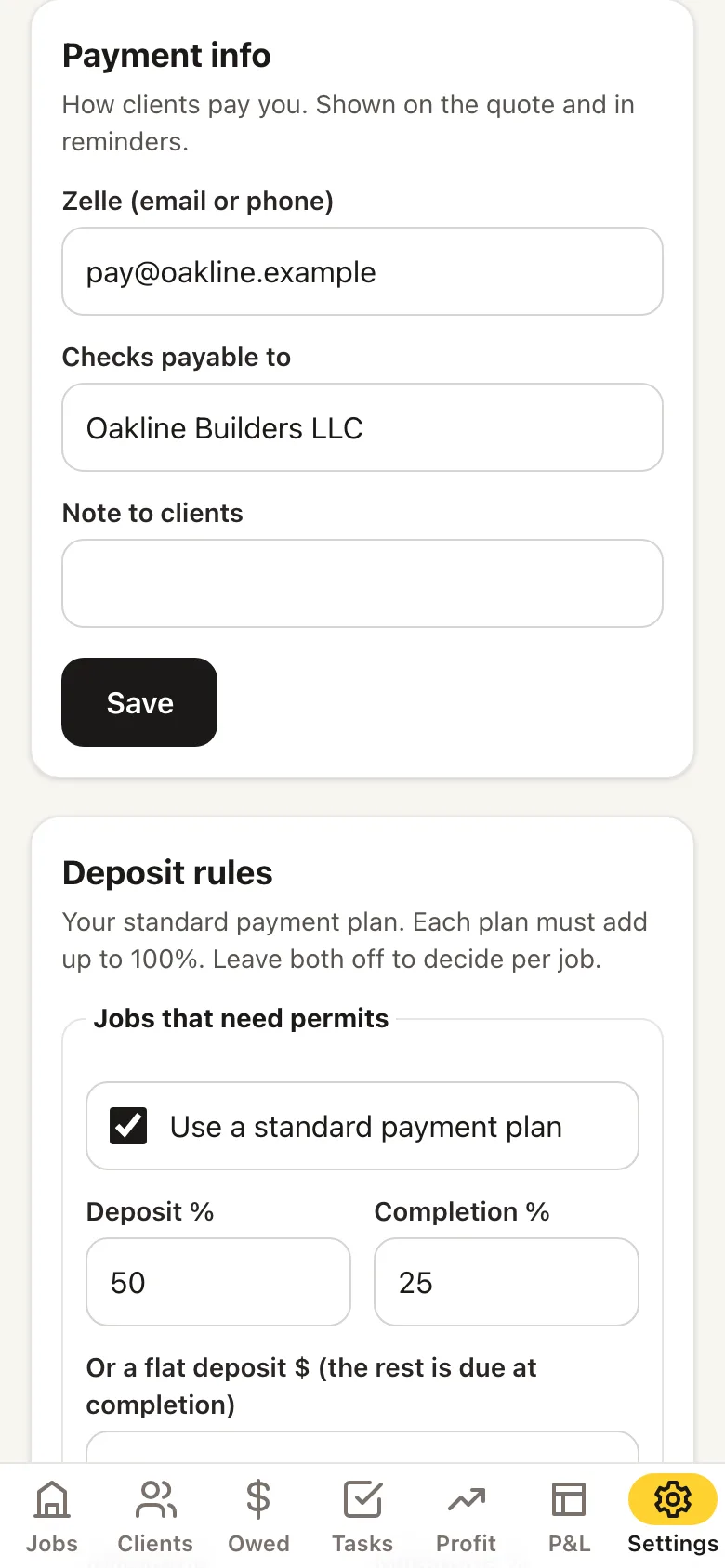
Nailed does not take online payments. Set your Zelle, who checks are payable to and a note, and they print on quotes and reminders.
Nailed keeps track of what you are owed. It does not move the money. Your clients pay you the way you already get paid, and Nailed puts your instructions in front of them at the right moments.
Set your payment info
Tell Nailed or open Settings
In chat, say my Zelle is pay@oakline.example. Or go to DashboardSettingsPayment info.
Fill in what you use
Zelle (email or phone), Checks payable to, and Note to clients if you want to add a line like "Please include the job address."
Confirm
In chat, Nailed shows a card with the new details. Reply with the number for Yes (on Telegram, tap the button). Nothing is saved until you do.
Save payment info
- Zelle
- pay@oakline.example
Reply with a number:
- Yes
- Cancel
Where clients see it
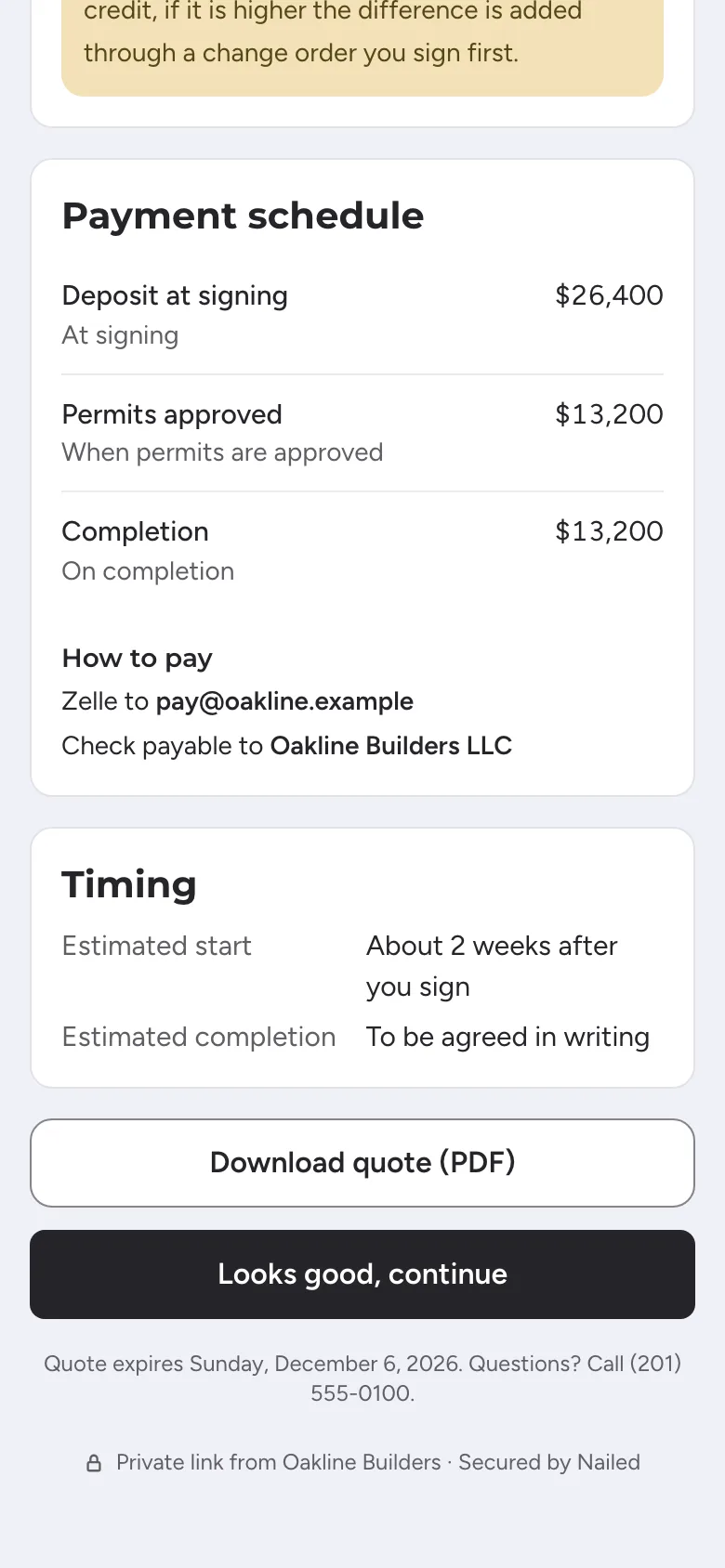
- The quoteA "How to pay" section on the PDF and the quote page.
- After signingThe deposit step shows your Zelle and check details.
- RemindersEach reminder says how to pay.
Cash and anything else
Nailed prints Zelle and check details. If a client hands you cash, or pays another way, log it when it comes in. See log a payment.
Common questions
Can my clients pay by card through Nailed?
No. Nailed tracks payments, it does not process them. Clients pay you directly by Zelle, check or cash, and you log the payment when it arrives.
Why does Nailed ask me to confirm when I change my Zelle?
Once you are set up, payout changes in chat always wait for your OK, so nobody can change where money goes by accident. Nothing is saved until you confirm.
Where do clients see my Zelle?
On the "How to pay" part of the quote PDF, on the quote page, on the deposit step after they sign, and in payment reminders.
What about cash or other methods?
Nailed does not print those. Log the payment when the cash comes in.
Did this answer your question?