Getting started
How Nailed works: your office manager in a chat
Nailed is an assistant you text on WhatsApp or Telegram. See where you work, what it does on its own, and what always waits for your OK.
Nailed is the person in your office who never gets tired. You text it from the truck, it handles quotes, payments, receipts and reminders, and it keeps the numbers straight. This page shows how the pieces fit.
Three places you use Nailed
- The chatWhatsApp or Telegram. This is where you work: say what happened, send photos and voice notes.
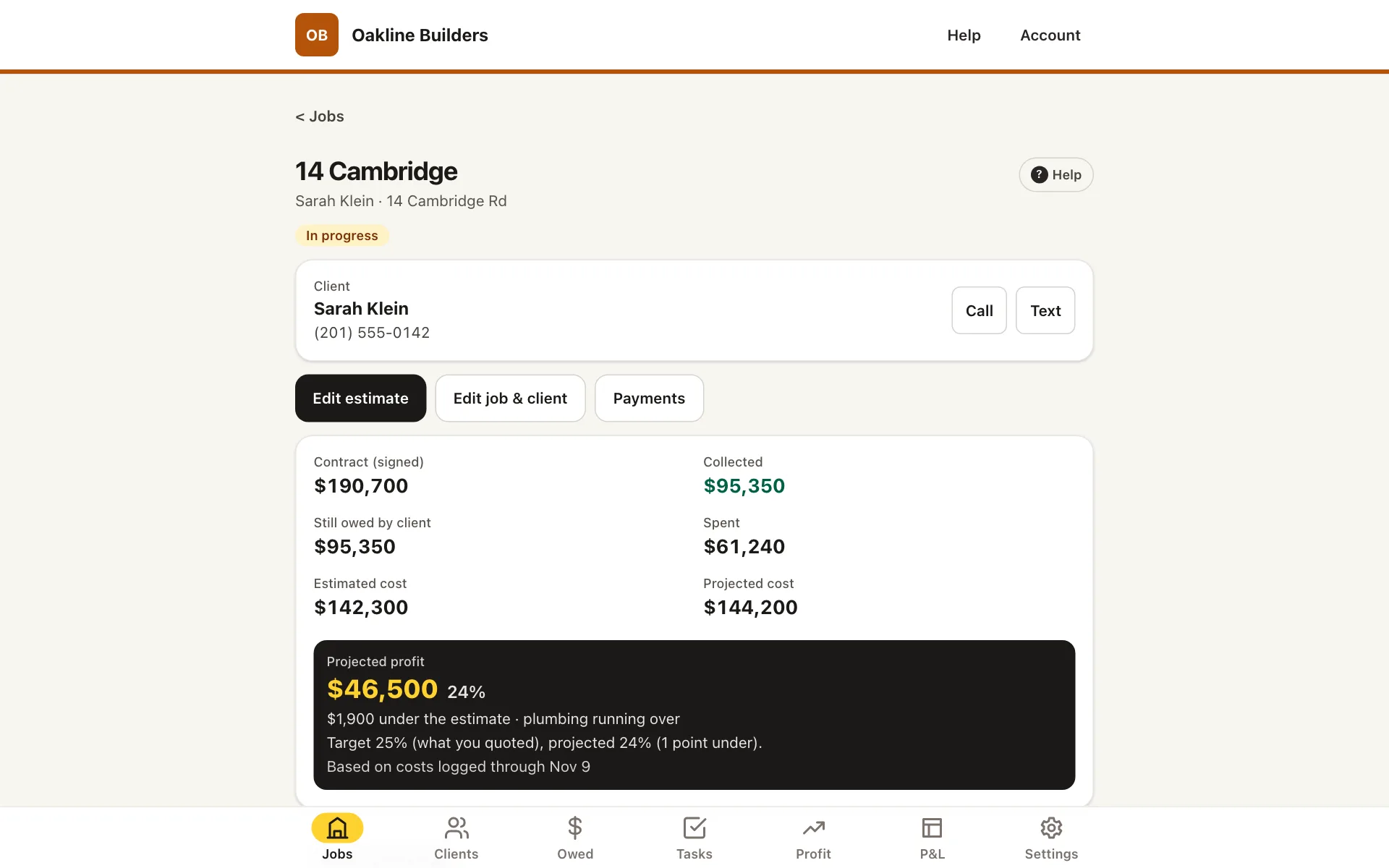
- The dashboardA web page for looking things over: jobs, who owes you, profit, settings.
- Your client's linksA quote page they can read and e-sign, and a job page that shows what they paid and what's left.
Most days you only open the chat. You send a photo of a receipt, say a client paid, or ask where a job stands. You open the dashboard when you want the whole picture on one screen.
Today
The life of a job
Every job follows the same road. Nailed keeps track of where each one is.
- JobYou tell it the client and address
- EstimateNumbers in, branded quote out
- Sent and signedClient e-signs the quote page
- PaymentsYou log each one as it arrives
- ProfitCosts against what you collected
You can start anywhere. Say a client paid before you ever made a quote, and Nailed still files it under the right job.
Where to look
| You want to | Go to |
|---|---|
| See every job and its status | Jobs on the dashboard |
| See who owes you money | Owed |
| See what a job is making | Profit |
| See the month for the whole business | P&L |
| Change your logo, terms or payment info | Settings |
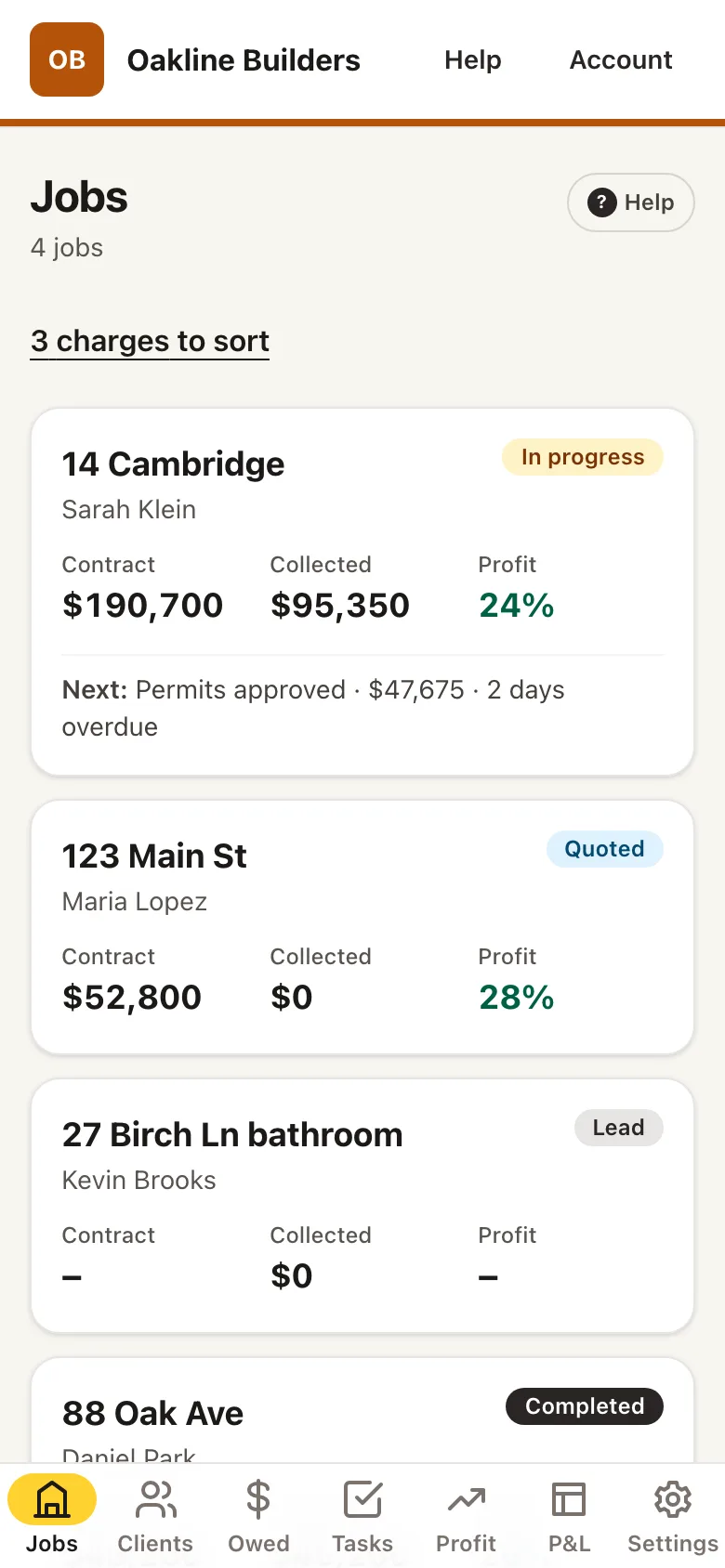
The full list of tabs is in open your dashboard.
What it does on its own
Nailed sends you a few messages without being asked.
- A morning brief with what's on today: jobs starting, quotes nobody has opened, payments due. If there's nothing to say, it stays quiet.
- An 8am preview of the payment reminders going out to clients at 10am. Reply to hold any of them.
- An evening check if something is still open, like a receipt with no job.
- A Friday wrap with the week's numbers.
Details are in daily messages.
What always waits for you
Anything that moves money or sends a client a quote comes back as a card first. A card is a short message with choices. The exception is the payment reminders above, which go out at 10am unless you hold them.
Send quote to Sarah Klein
- 14 Cambridge
- $24,000
- Goes by email
Reply with a number:
- Send
- Cancel
On WhatsApp you reply with the number. On Telegram you tap the button. A card that sits for 24 hours expires, and typing "cancel" drops it. Made a mistake? Say "undo" within 30 minutes. Cards and confirming covers all of it.
Where to start
Sign up takes a couple of minutes, and the first 14 days are free with no card. Start with sign up and connect WhatsApp, then finish setup.
Common questions
Do I have to learn commands?
No. Text or send a voice note the way you would to a person in your office. For example: "new job, Sarah Klein, 14 Cambridge" or "Sarah paid 5k by Zelle".
Will Nailed message my clients without asking me?
Not without showing you first. A quote or a nudge waits for your OK. You approve it with a tap or a reply. The one thing that goes out on a schedule is a payment reminder: you see it at 8:00 and it goes at 10:00 unless you hold it.
Can my clients pay through Nailed?
No. Nailed tracks payments, it does not process them. Clients pay you by Zelle, check or cash, and you log each payment.
Do I need the dashboard?
No. Everything you do day to day works in chat. The dashboard is for looking things over: jobs, who owes you, profit, and your settings.
Does the math come from the AI?
No. Totals, splits and profit are worked out by code, exact to the cent. The assistant reads what you say and sets it up.
Did this answer your question?