Estimates and quotes
Send an estimate to a client
Send your estimate to a client by email, or with a tap-to-text link. Send it to yourself first, see when it is opened, nudge the client, or pull it back.
A quote never leaves without your OK. You say who it goes to, you see a card, and you confirm.
Send it from chat
Say who gets it
Send it to Sarah works. If you have more than one open quote, add the job: send the Lopez quote to Maria.
Check the card
It shows who gets it and how: by email, or a tap-to-text link when there is only a phone number.
Send
Reply with the number for Send (on Telegram, tap Send). To drop it, say "cancel".
Today
Send the 14 Cambridge estimate
- To
- Sarah Klein, by email
- Total
- $14,300
Reply with a number:
- Send
- Cancel
Send it to yourself first
Want to see it the way it will look? Say send me the quote. You get the PDF in chat and the client gets nothing. No card, no wait.
What your client gets
An email with the subject "Estimate for 14 Cambridge from Oakline Builders". It says your business sent them an estimate and that they can review it and sign online, with a View estimate button. See what your client sees for the page behind it.
If the client has only a phone number, Nailed can't text yet. Instead, you get a tap-to-text link. Tap it and your own Messages app opens with the text and link already written. You press send. The link works for 14 days.
Send from the dashboard
Create the quote
On DashboardJobsyour jobEdit estimate, tap Create new quote (vN) if you have not already.
Tap Send to client
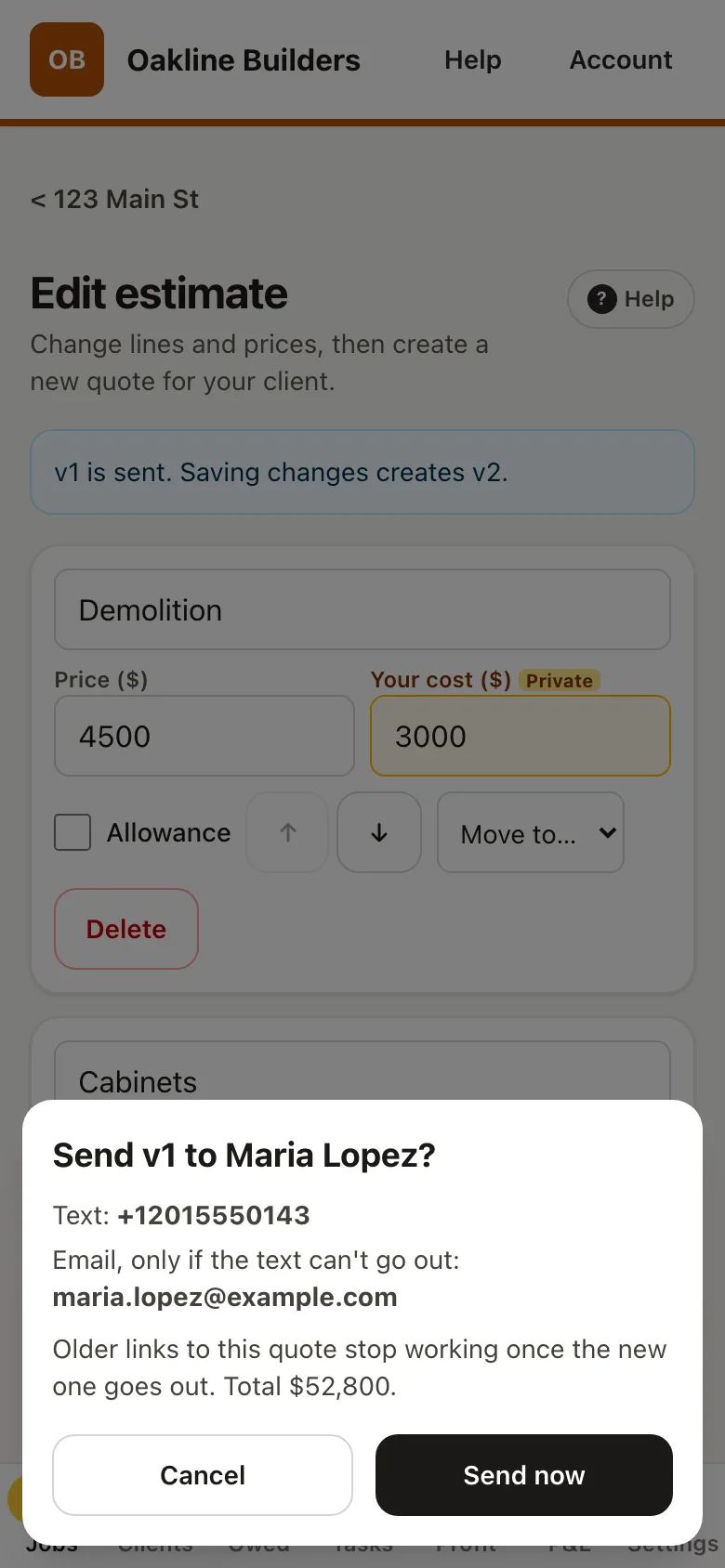
A box asks you to confirm and shows where it goes: a Text line with the client's cell and an Email line ("only if the text can't go out"). Texting clients is coming soon, so for now the email goes out and you get a tap-to-text link for the cell.
Confirm
Tap Send now. A banner says Sent and lists what happened, for example "Emailed to" the client's address, or "Tap to text it from your phone".
When it won't send
- No email or phone on file. The box says the client has no email or phone yet. Add one under DashboardJobsyour jobEdit job & client, or tell Nailed in chat.
- Items left off the quote. If you gave Nailed items it could not place, the quote says it isn't ready to send. Fix them, or tap Send without these (in chat, say go ahead).
- A license detail is missing. Some states need it on the contract. In New Jersey that is your HIC registration number. Nailed asks once, sends you the PDF to forward yourself, and holds the client send until you give it.
- A newer version is waiting. Edits make a new version. Send the latest one. See edit an estimate.
Know when it is opened
When the client opens the page, the quote changes from sent to viewed. Your morning message lists quotes that were sent but not opened or signed, and offers a nudge button.
Tap it and the client gets a short email checking in on the estimate ("Just checking you saw the estimate"). Nailed does not send that on its own. It goes only after your tap.
Pull it back
Sent it to the wrong person, or the numbers are off? Say pull back the Lopez quote and confirm with Pull it back. On the dashboard, the button is on the Edit estimate page. The client then sees that the quote is no longer available.
You can't pull back a signed quote. If the client signed and then backed out, mark the job cancelled instead, see cancel a job.
Common questions
Does Nailed text my client the estimate?
Not yet. Quotes go by email. If your client only has a phone number, Nailed gives you a tap-to-text link that opens your own Messages app with the text written. The link works for 14 days.
Can I see the estimate before the client does?
Yes. Say "send me the quote" and you get the PDF to yourself. Nothing goes to the client.
How do I know the client opened it?
The quote status changes from sent to viewed when the client opens the page. Previews and bots do not count. Your morning message also lists quotes that were sent but not opened or signed.
Does Nailed chase the client on its own?
No. The morning message offers a nudge, and the short check-in email only goes after you tap it.
Can I pull back a quote I sent?
Yes, if the client has not signed. Say "pull back the Lopez quote" and confirm. The client then sees that the quote is no longer available. A signed quote can't be pulled back.
Did this answer your question?