Getting paid
Log a payment a client made
Record a Zelle, check or cash payment by chat, photo or the dashboard. Handles partial payments, back-dating, duplicates, fixes and voids.
When a client pays you, tell Nailed. It updates what they owe, stops the reminders for that payment, and keeps your numbers right. Nothing is saved until you confirm.
Log it in chat
Say what came in
Name the client and the amount. Sarah paid 5k by Zelle works. So does got the deposit from Sarah, which uses the amount from the payment plan.
Check the card
Nailed shows the amount, the method, and which payment it covers.
Confirm
Reply with the number for Yes (on Telegram, tap the button).
Today
Log payment, 14 Cambridge
- Sarah Klein
- $5,000
- Zelle, today
- Covers Deposit
Reply with a number:
- Yes
- Cancel
Other ways to log it
Things you can say
- Sarah paid 5k by Zelle
- got the deposit from Sarah
- she paid 2k last Friday
- Lopez gave me a check for 3,500, #1042
- Daniel Park paid cash, 800
Methods are check, Zelle, cash, ACH, card or other.
Send a photo. Take a picture of a check or screenshot the Zelle confirmation and send it. Nailed reads the amount, the payer, the check number and the date, then shows the card.
Back-date it. Say when it came in: "she paid 2k last Friday". Dates in the future are not accepted.
What Nailed does with the money
- A partial payment fills the earliest payment that is due first. The rest of that payment stays owed.
- Extra money moves on to the next payments in order. Whatever is left after the whole plan is a credit on the job.
- Money that arrives before the client signs is applied to the deposit when they sign.
- If the same amount, method and day is already logged, Nailed warns you. Say it is a second one if it is.
Several payments in one message
If you send three payments for one job at once, you get one card with a Log all 3 button. Each payment saves exactly once. On Telegram, type "1 3" to log only those two. On WhatsApp, it is all or none.
Fix a mistake or void it
Tell Nailed what was wrong, in your own words:
Things you can say
- that was a check not Zelle
- move it to the Elm job
- split it
- void the 5k from Sarah
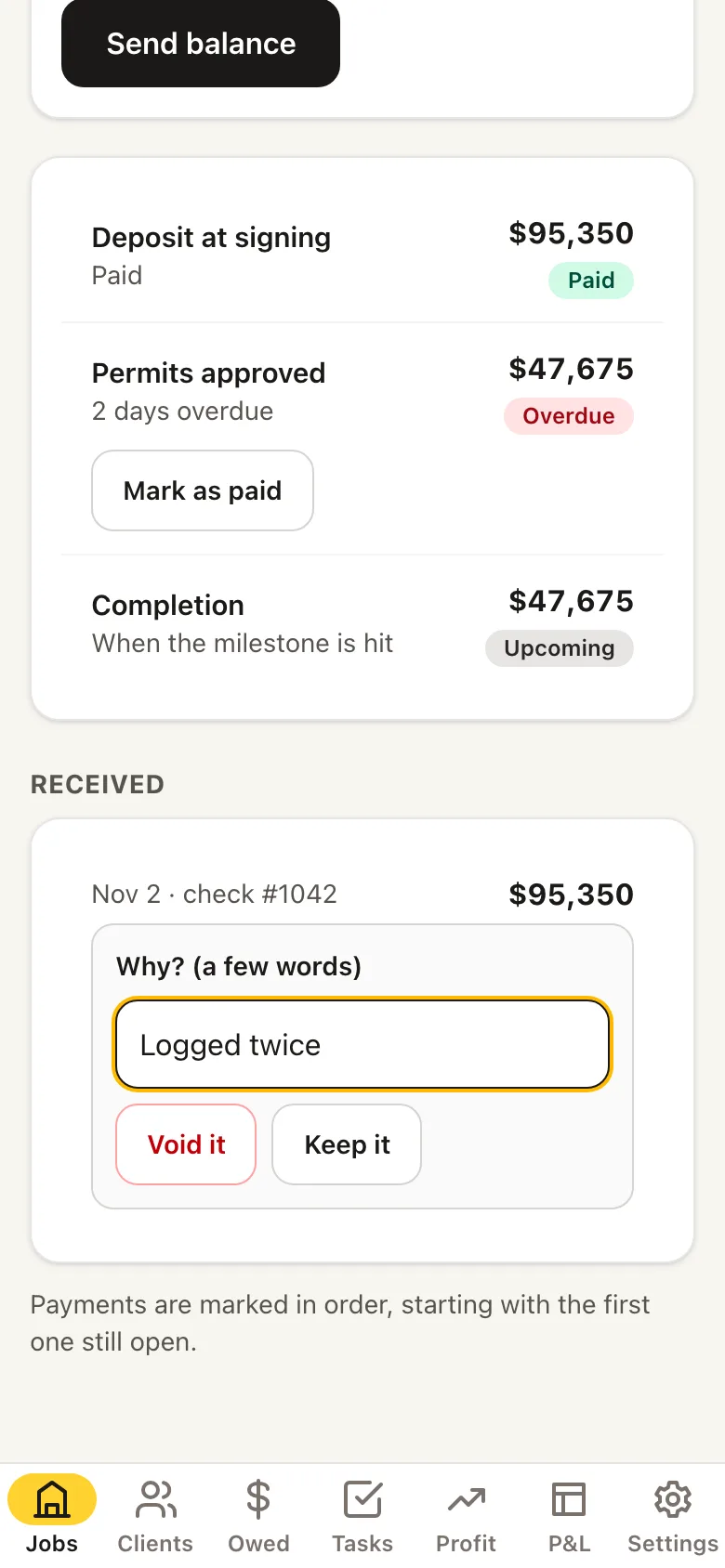
A fix comes as one card. When you void a payment, Nailed asks for a reason. The payment goes back to owed and its reminders resume.
On the dashboard
Open the job's payments
Go to DashboardJobsyour jobPayments. The job must have a signed quote.
Tap Mark as paid
It sits on the first open payment. Payments are marked in order, starting with the first one still open.
Fill in the form
Enter Amount ($), pick How, add the Check # (required for a check), and set Date received.
Record it
Tap Record payment, then Yes, I received it.
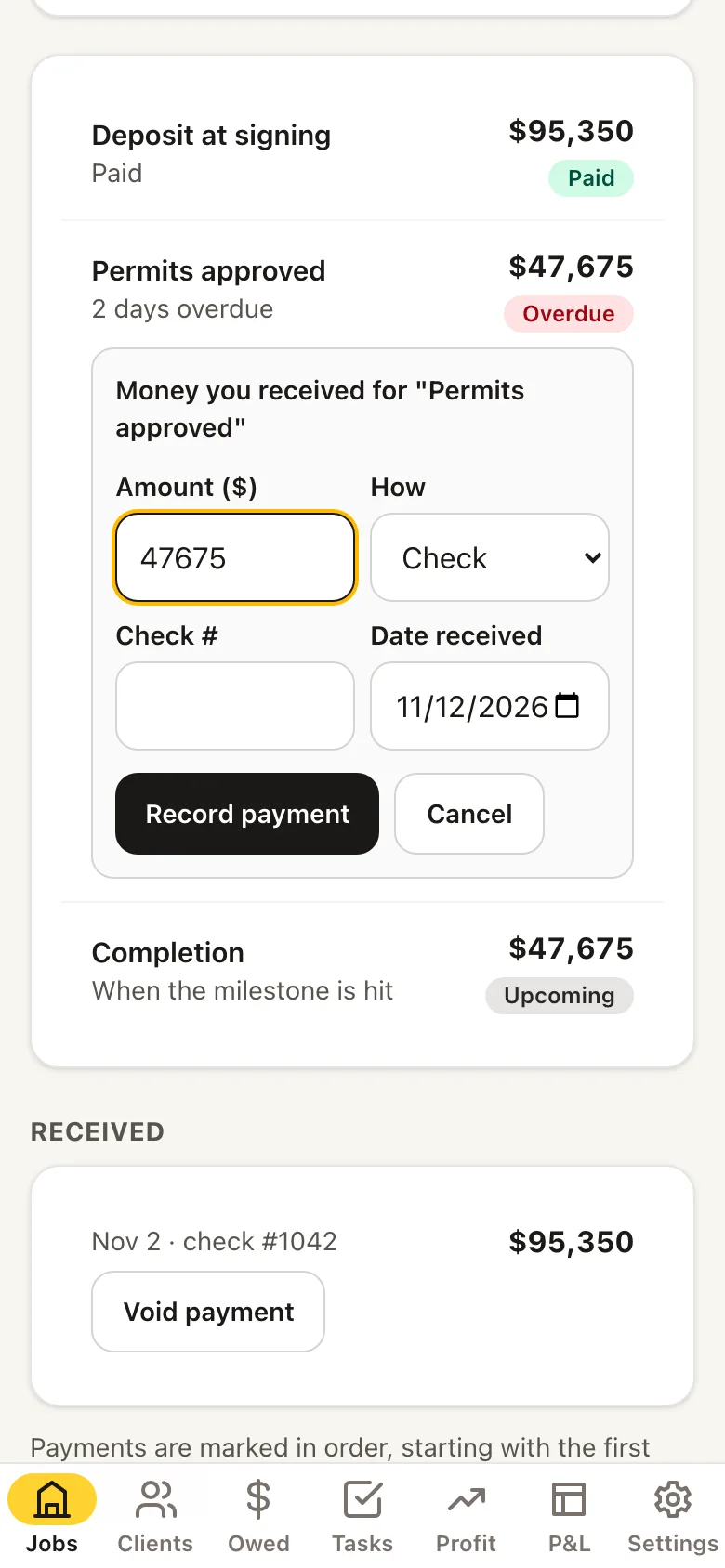
The amount can be less than what is due, but not more than what is still owed on that payment. Logged payments show in the Received list. To remove one, tap Void it, type a reason (3 letters or more), and confirm.
Common questions
What if the client pays only part of a payment?
Log the amount you got. Money fills the earliest payment that is due first. The rest of that payment stays owed, and reminders continue for it.
What if the client pays more than is due?
The extra goes to the next payments on the plan, in order. If it is more than everything on the plan, the leftover is kept as a credit on the job. It is not lost.
Can I log money that came in before the client signed?
Yes. It is applied to the deposit when the client signs.
I logged the wrong payment. How do I fix it?
Say what was wrong: "that was a check, not Zelle", "move it to the Elm job" or "split it". Nailed shows one card with the fix. To remove it entirely, void it with a reason, and the payment goes back to owed.
Will Nailed warn me if I log the same payment twice?
Yes. If the same amount, method and day is already in, it tells you. Say it is a second one if it really is.
Did this answer your question?