Expenses and your bank
Log expenses and receipts by text, voice or photo
Log a job cost by texting it, sending a voice note, or snapping a receipt or supplier invoice. Nailed reads it, picks the job and asks you to save.
Every cost you log makes your job profit more accurate. You can say it, speak it or photograph it. Nailed does the typing.
Log a cost in your chat
Send the cost
Text it, record a voice note, or send a photo or PDF of the receipt. paid Mike 4200 Cambridge is enough.
Look at the card
Nailed shows the vendor, amount, date, job and category. It picks the job and the estimate line it counts against. It asks only if it can't tell.
Save it
Reply with the number for Save (on Telegram, tap the button). Choose Edit to change something, or Cancel to drop it.
Today
Home Depot, 14 Cambridge
- Materials
- $386.40
- Today
- ✓ Checked: 6 lines add up to the $361.50 subtotal, plus $24.90 tax = $386.40
Reply with a number:
- Save
- Edit
- Cancel
Things you can say
- paid Mike 4200 Cambridge
- Home Depot, 386 on the Cambridge job, materials
- dumpster 450 for Oak Ave
- my cost for this job: framing 11k, electrical 4k, plumbing 3k
A list of costs like the last one becomes one card, with one expense per line.
Receipts and supplier invoices
Send a photo, a scan or a PDF. Multi-page invoices work, and so does a burst of several photos sent together. Pages without a printed total are treated as part of the receipt that follows. The same slip shot twice is saved once.
Nailed reads each receipt, then checks the math in code. The result shows on the card:
| Line on the card | What it means |
|---|---|
| ✓ Checked: 31 lines add up to the $25,310.97 subtotal, plus $838.55 tax = $26,149.52 | The lines add up. Save away. |
| ⚠️ Check this one | Something didn't add up. Look at the receipt before you save. |
The printed total on the receipt wins. Nailed never swaps in a "balance due" or a total it worked out itself.
Categories
Every cost gets one of seven categories: materials, subcontractor, labor, permits, dumpster, equipment, other. Nailed picks one. Change it with Edit on the card.
Costs with no job
A cost that doesn't belong to a job is overhead. Think insurance, a truck payment or a phone bill. Overhead shows up in your monthly P&L but not in any one job's profit.
When the receipt matches a card charge
If you have connected a bank, Nailed may already know about the charge. The card then asks what to do:
- That charge or Attach, with the amount and date: the receipt goes with the charge that already exists. No double cost.
- Separate cost or Save as new: it is a different purchase, so it is logged as its own cost.
Fix or delete a cost
In chat, say what is wrong: that was for Elm or delete the Home Depot one. Deleting waits for your OK on a card.
On the dashboard:
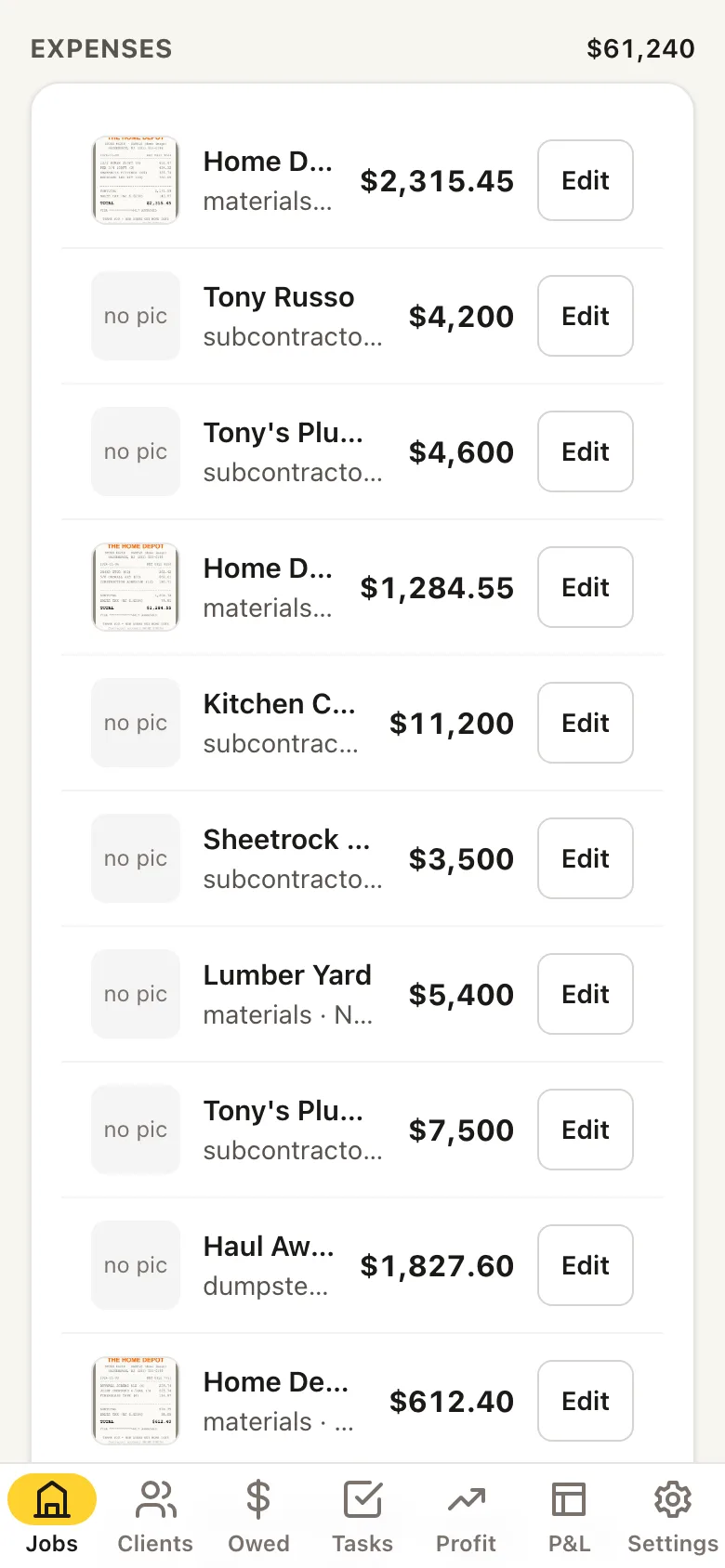
Open the job
Go to DashboardJobsyour job and find the Expenses section.
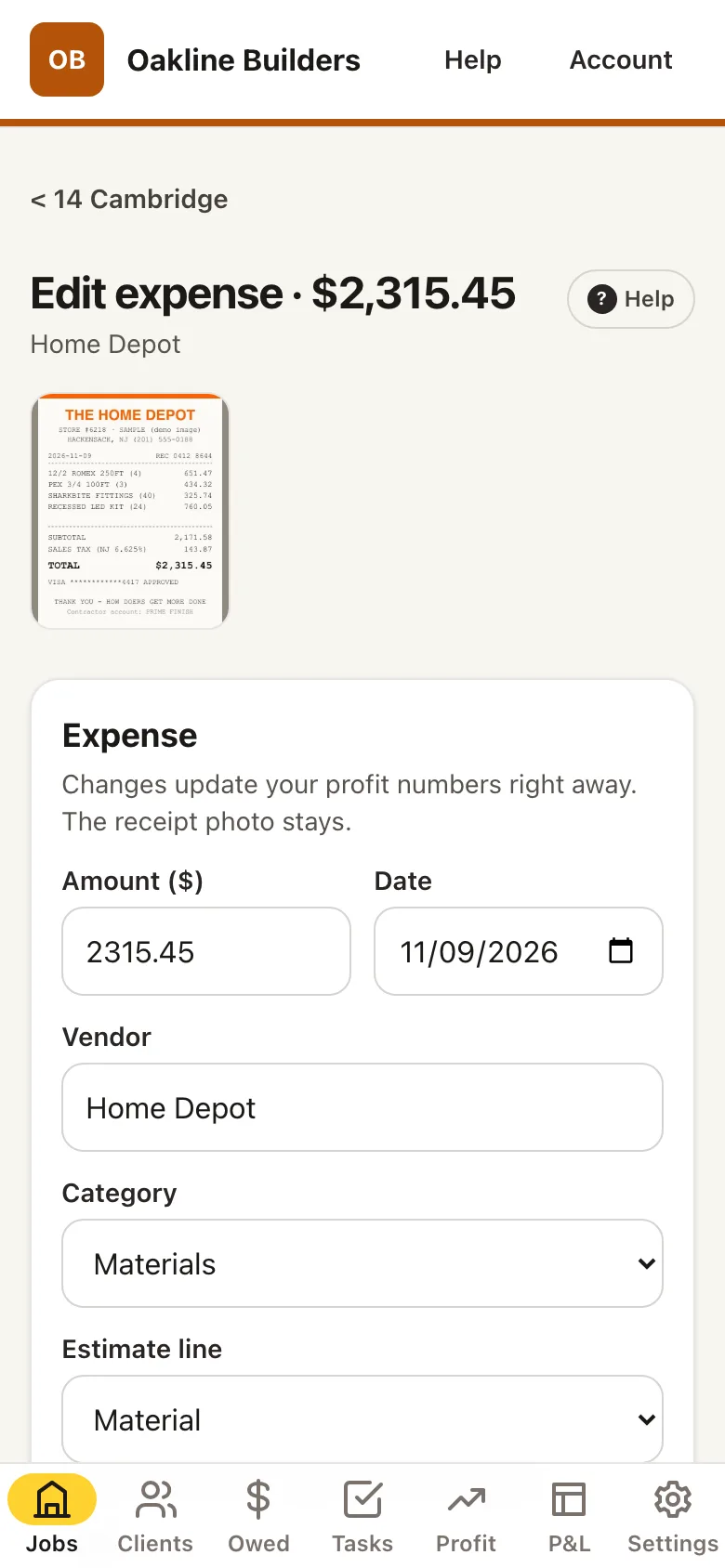
Tap Edit on the expense
You can change Amount ($), Date, Vendor, Category, Estimate line and Note. The receipt photo stays. Tap Save.
Or remove it
Under Remove this expense, write why in Why are you removing it? and tap Remove expense. It stops counting, and Nailed keeps it in the history with your reason.
Why it matters
Costs tied to an estimate line feed job profit. The more you log, the closer the projection is to what you will actually make.
Common questions
Can I send a receipt photo?
Yes. Send a photo of the receipt in your chat with Nailed. It reads the vendor, date, line items and total, then shows a card for you to save. Several photos sent together are read as one turn.
What if the receipt total doesn't match the lines?
The printed total wins. The card shows a check line under the amount. A green check means the lines add up. A warning that says Check this one means something didn't add up, so look before you save.
Does Nailed know which job a cost belongs to?
It picks the job and the estimate line itself and asks only when it can't tell. You can change it any time by saying "that was for Elm".
How do I delete an expense?
Say "delete the Home Depot one", or open the job on the dashboard and use Remove expense. You give a reason and it stops counting. It stays in the history.
Can I add an expense from the dashboard?
Not as a new entry. Costs come in by chat, receipt photo or bank charge. The dashboard is for fixing or removing one that is already there.
Did this answer your question?